DDM-P1 SINGLE-MACHINE · INSTALLATION INCLUDED
1.500.000₫
One box per machine
Management app: 0₫ / month
Book installationPayBox fits into the machines you already own — no replacement, no mainboard changes. Cash and QR revenue, side by side on one screen of your phone.
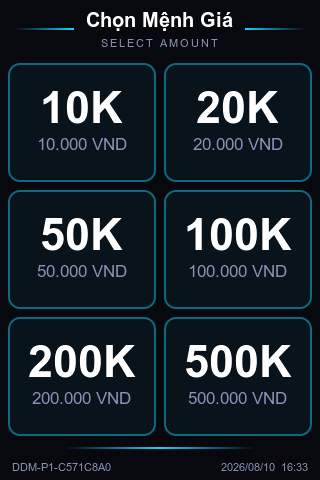
A 3.5-inch portrait touchscreen that mounts next to the coin slot without getting in the way.
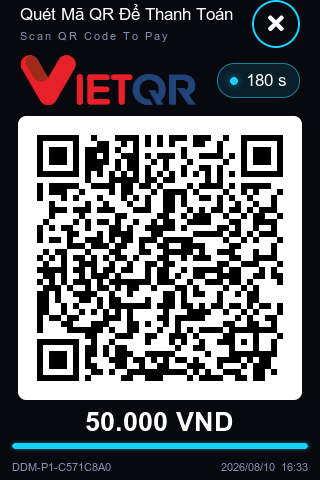
The box shows a QR code; scan it in the app and it's bound to your account — no serial numbers, no phone calls waiting for activation.
QR payments go straight into your bank account, with no third-party settlement in between.
How much revenue this machine takes per prize — the system works it out for you.
No 10K note in their pocket means that round never happens. Stand there making change and nobody is watching the machines.
It froze at noon; you find out when you open up in the evening. A whole afternoon with zero revenue.
Counting cash by hand every day, and when a few tens of thousands go missing there's no way to tell which machine or which day.
Three shops, three ledgers. Which machine to keep and which to move — there are no numbers to decide with.
The machine's original cash path stays untouched; PayBox simply adds a second way to get paid.
From 10K to 500K, tapped directly on the on-machine screen. The single-machine model serves one machine, so there's nothing to select first.
The QR is valid for 3 minutes. The money is transferred straight to your bank account — we never touch it, and there's no withdrawal step.
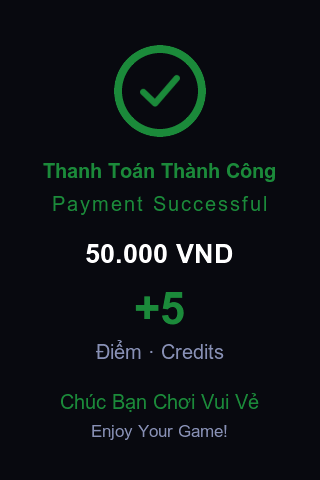
The screen shows how many coins this payment bought, and the machine is credited at the same moment. Customers never have to guess whether it worked.
It uses the very same wire a real coin travels on, and the machine counts exactly as before — to the machine, it's no different from a real coin.
One box per machine. Portrait screen, compact footprint — it mounts right next to the coin slot.
When two machines sit side by side, one box manages both.
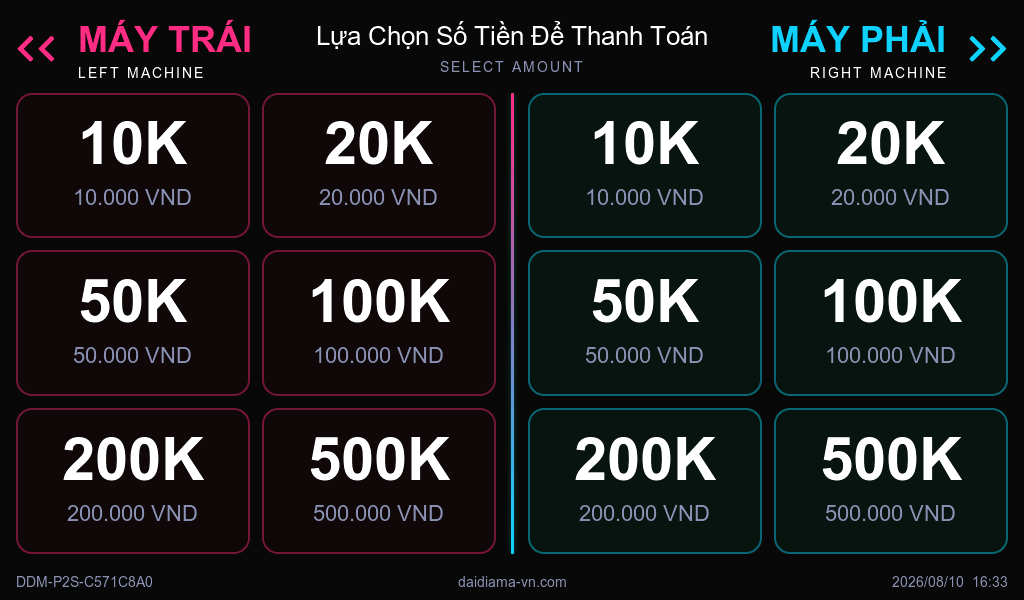
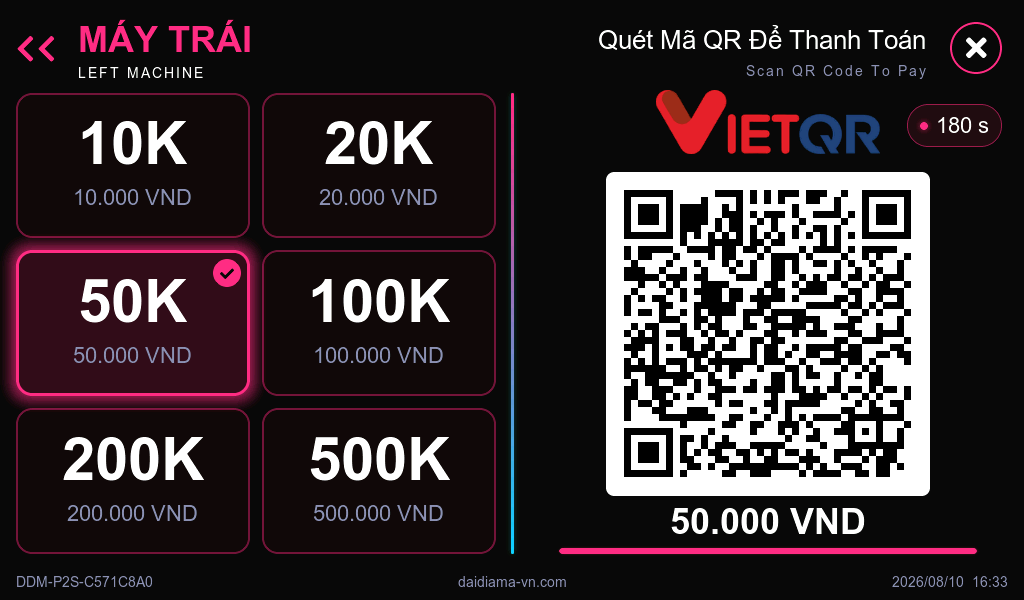
| Compare | DDM-P1 Single | DDM-P2 Dual |
|---|---|---|
| Machines managed | Machines managed1 | 2 |
| Screen | Screen3.5-inch portrait touch | Landscape touchscreen |
| Payments | PaymentsOne QR | One QR per machine, two payments at once |
| Best for | Best forA machine standing on its own | Two machines side by side sharing one mounting point |
| Revenue stats | Revenue statsOne box, one machine — the revenue is that machine's | One box, two machines — each machine's revenue and transactions listed separately |
The DaiDiaMa management app — free, no monthly fee.
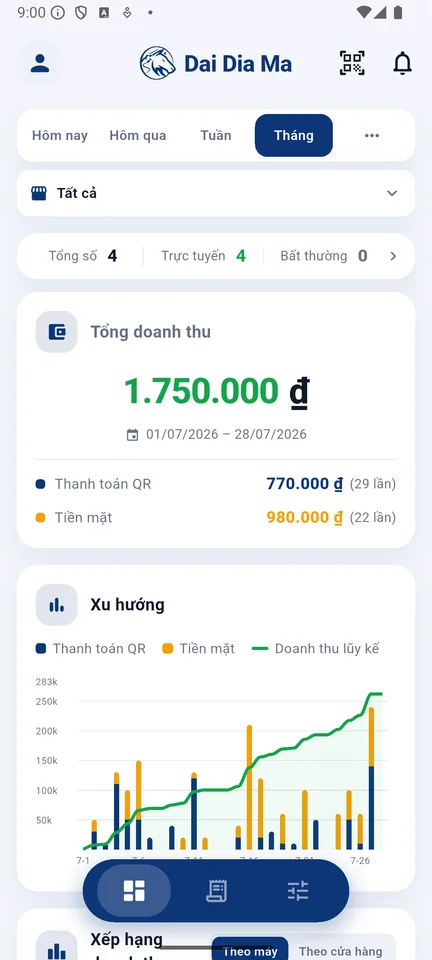
Daily / weekly / monthly revenue.Cash and QR tracked separately, filterable by shop or by machine.
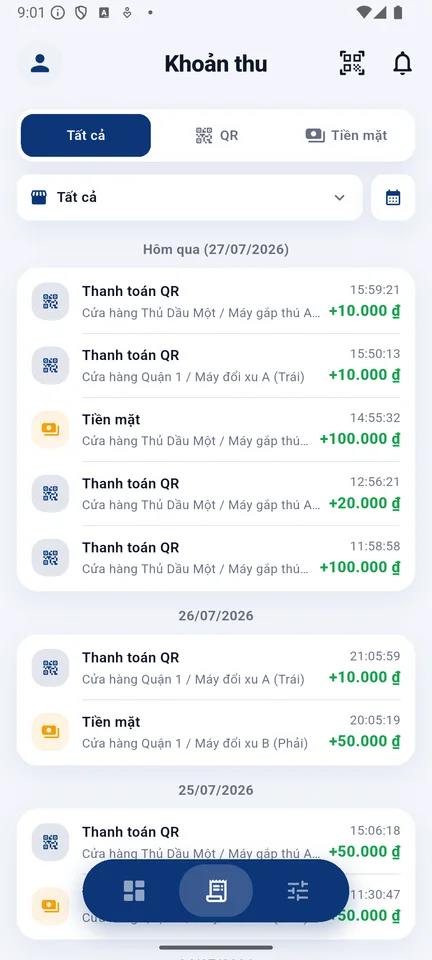
Every payment, on record.QR and cash on separate tabs, with time, shop and machine clearly labelled.
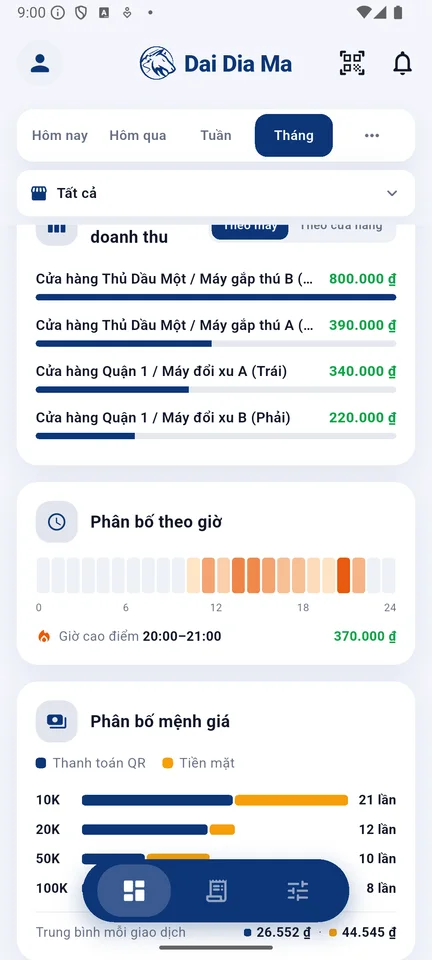
Which machine to keep, which hours are busy.Machine ranking plus an hour-by-hour breakdown.
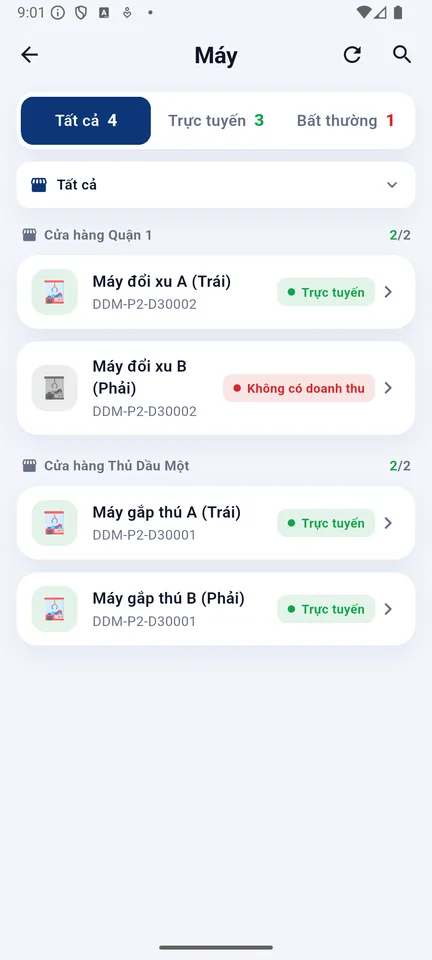
Which machines are online, which have issues.Grouped by shop, status at a glance.
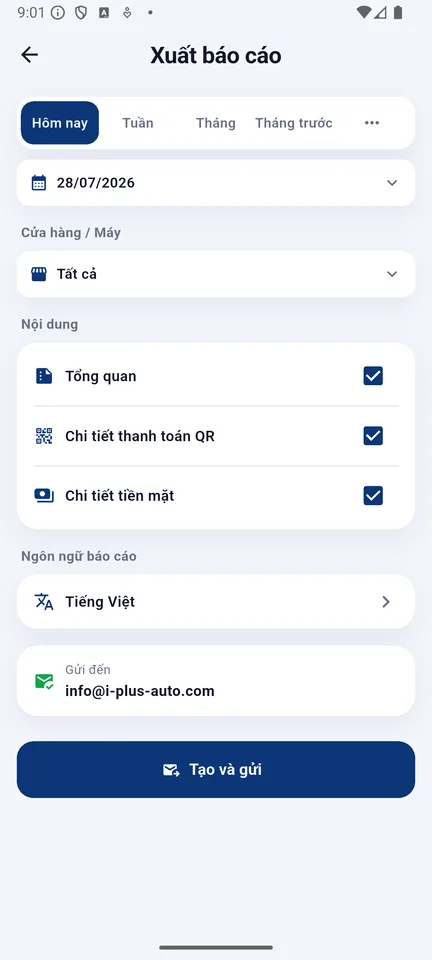
Excel reports sent to your inbox.Pick a period, pick a shop, one tap to send.
Each person sets their own language. Under one account they don't affect each other — even push notifications follow each person's language.
Every time a customer wins, a sensor on the machine logs one payout. The system puts payout count next to that machine's revenue — how much money per prize, calculated for you. Claw too loose and prizes keep walking out, or too tight and nobody wants to play? Decide with numbers, not gut feeling.
What this machine took this week and how many prizes it gave — on one row, no cross-checking two lists.
Worked out automatically. Which machine is losing money and which one almost never pays out — obvious at once.
Which machine to tune and which prize to swap — decide on real payout rates, not guesses made on site.
By default 1 coin = 10.000₫, matching how the machine already takes banknotes. Change the conversion table in the app — for the whole shop or just one machine — and add bonus coins for promotions.
| AMOUNT | COINS |
|---|---|
| 10.000₫ | 1 coin |
| 20.000₫ | 2 coins |
| 50.000₫ | 5 coins |
| 100.000₫ | 10 coins |
| 200.000₫ | 20 coins |
| 500.000₫ | 50 coins |
No need to close. Machines are fitted one by one, and each one starts earning as soon as it's done.
Send us the number of machines, the models and the address on Zalo. We confirm your machines are compatible and send a quote.
Each box is set up with your coin conversion table before it leaves, so nothing needs adjusting on site.
A technician wires it up and runs a full test to confirm coins are credited correctly. The mainboard isn't touched, so the machine's warranty is unaffected.
Scan the QR on the machine screen with the app, set up the receiving account, and get a walkthrough on the spot.
1.500.000₫
One box per machine
Management app: 0₫ / month
Book installation2.500.000₫
One box manages two machines
For two machines placed side by side.
Management app: 0₫ / month
Book installationPrices above apply to Ho Chi Minh City.Pricing for other regions is arranged separately; project pricing for 10 machines or more.
Revenue per machine, per day, with cash and QR listed separately — export to Excel and split it without arguments. You can also grant view-only access to a single shop or a single machine without handing over the main account.
PayBox is a VietQR payment box for claw machines, made by DaiDiaMa. It connects to the machine's existing pulse wire, lets customers pay by scanning a QR code with any VietQR-enabled bank app, and credits the machine instantly. Any common claw machine that uses a pulse coin signal can be fitted — no new machine and no mainboard changes.
Via VietQR, directly into your own bank account (BIDV, VIB, TPBank or MB Bank). We don't hold funds, and there is no withdrawal step.
The fee is charged by VietQR — currently about 0.8% per transaction; the actual rate follows VietQR's published terms and the contract you sign. We don't charge any transaction fees of our own.
No. PayBox connects to the machine's existing pulse wire — the same wire a real coin uses. Common claw machines on the market can all be fitted.
Cash works as usual; PayBox stores the counts on the box and syncs them once the connection is back. QR payments need a connection — when offline the screen says so clearly, and customers can simply use cash.
The app flags that payment immediately and offers a “remote top-up” button to credit the customer. Every top-up records who did it, when, and how many coins.
The money your machines take goes straight into your own bank account. For the receiving account, these four banks are currently supported:
Paying customers have no such limit: any bank app that supports VietQR can scan and pay. We'll set up your receiving account with you at handover.
Yes. Access can be granted for the whole account, a single shop, or a single machine. You can also see which devices are currently signed in and sign each one out.